Thank you! Your submission has been received!
Oops! Something went wrong while submitting the form.

Learn how to set up Wordflow, track your brand across 12 AI engines, and turn AI search insights into content.
.webp)
The MCP Connector brings your Wordflow data into Claude. Instead of opening the dashboard, you can ask Claude for your campaign metrics, Wordflow Insights, prompt-level visibility, competitor benchmarks and recommended actions, right inside the conversation you're already working in.
It's available on Pro, Agency and Enterprise plans. Claude is the live integration today.
[Step-by-step setup, TBC with product: where to find the connector, how to authorise it, and a first prompt to try.]
A Brand Profile serves as your brand's source of truth on Wordflow: your industry, positioning, competitors, key messages, and tone of voice. Wordflow uses it across campaigns, reporting, and content workflows so tracking stays accurate and anything you generate stays consistent with how you want your brand represented.
Yes. You can manage several Brand Profiles in one account, so different brands, clients or regions sit side by side without getting mixed up.
Each Brand Profile keeps its own industry context, competitors, tone of voice and positioning. Wordflow generates reporting and content based on whichever profile you're working in.
Wordflow builds an Audience Persona from your Brand Profile plus three fields you fill in: Audience Name, Short Description, and Target Location. That gives Wordflow enough context to draft a persona that fits your category, your positioning, and the way you communicate.
Audience Name is what you’ll call this group in Wordflow. Short Description is a quick, plain-English summary of who they are and what they care about. Target Location tells Wordflow which market you’re speaking to, so the persona reflects local context and expectations.
Audience Personas help you tailor content to a specific group. Wordflow's GEO Writer and Templates use Audience Personas to adapt the angle, language, and emphasis for the audience you select.
A Compliance Checklist checks your copy against the country, industry and channel rules you select, for example ASIC rules for financial services in Australia or TGA rules for health. It flags risky or unsubstantiated claims, missing disclosures and wording that may need tightening before you publish.
It's designed to support your legal and compliance review, not replace it.
Templates are 40+ ready-made workflows for specific content types, such as landing pages, emails, video scripts, social posts, press releases and FAQs.
Pick a template, enter your content goal and language, choose a Brand Profile (and an Audience Persona if needed), then run it. Wordflow's AI Model Pairing picks the right model, so you get an on-brand draft that fits the job.
Templates can apply your Brand & Strategy settings so the output stays consistent with how you want to sound and position your brand. When you toggle Apply Brand & Strategy, the template uses your selected Brand Profile (and Audience Persona if you choose one) to shape the angle, tone, and key messages.
If you’ve set up Compliance rules, Wordflow also takes those into account while generating the draft, so your content stays aligned with the guidelines you’ve chosen.
Wordflow's AI Model Pairing picks the best AI model for the job, based on what you’re trying to create and which template you’re running. This feature ensures that you don’t have to spend time choosing models or tweaking settings, since our platform handles that and runs your task on the most suitable option for the use case you've selected.
AI Model Pairing is available in Templates, and GEO Writer uses our recommended pairing by default when you click Write from an AI Search Campaign’s Action Hub.
GEO Writer structures your content around how AI search engines find, understand and cite information, so answer engines can use it. It's updated as GEO best practice changes.
For best results, open GEO Writer from a saved GEO Action Hub item, so it starts with the full context of the prompt you're targeting. GEO Writer is available on Starter plans and above.
GEO Writer connects to the Action Hub so you can turn campaign prompts into AI-optimised content in a few clicks. In an AI Search Campaign, go to Topics and Prompts, click into a specific prompt to see its Suggested content type, then save that prompt to the Action Hub; from the Action Hub, choose Create AI Optimised Content, open View details, and hit Write to generate it in GEO Writer.
An AI Search Campaign tracks how often your brand appears in AI answers for your prompts, who gets mentioned instead, and which sources are cited. Metrics include visibility, brand mentions, pages cited, share of voice, sentiment and prompt-level breakdowns.
Tracking runs weekly by default. Pro and Agency plans can add daily tracking for selected prompts.
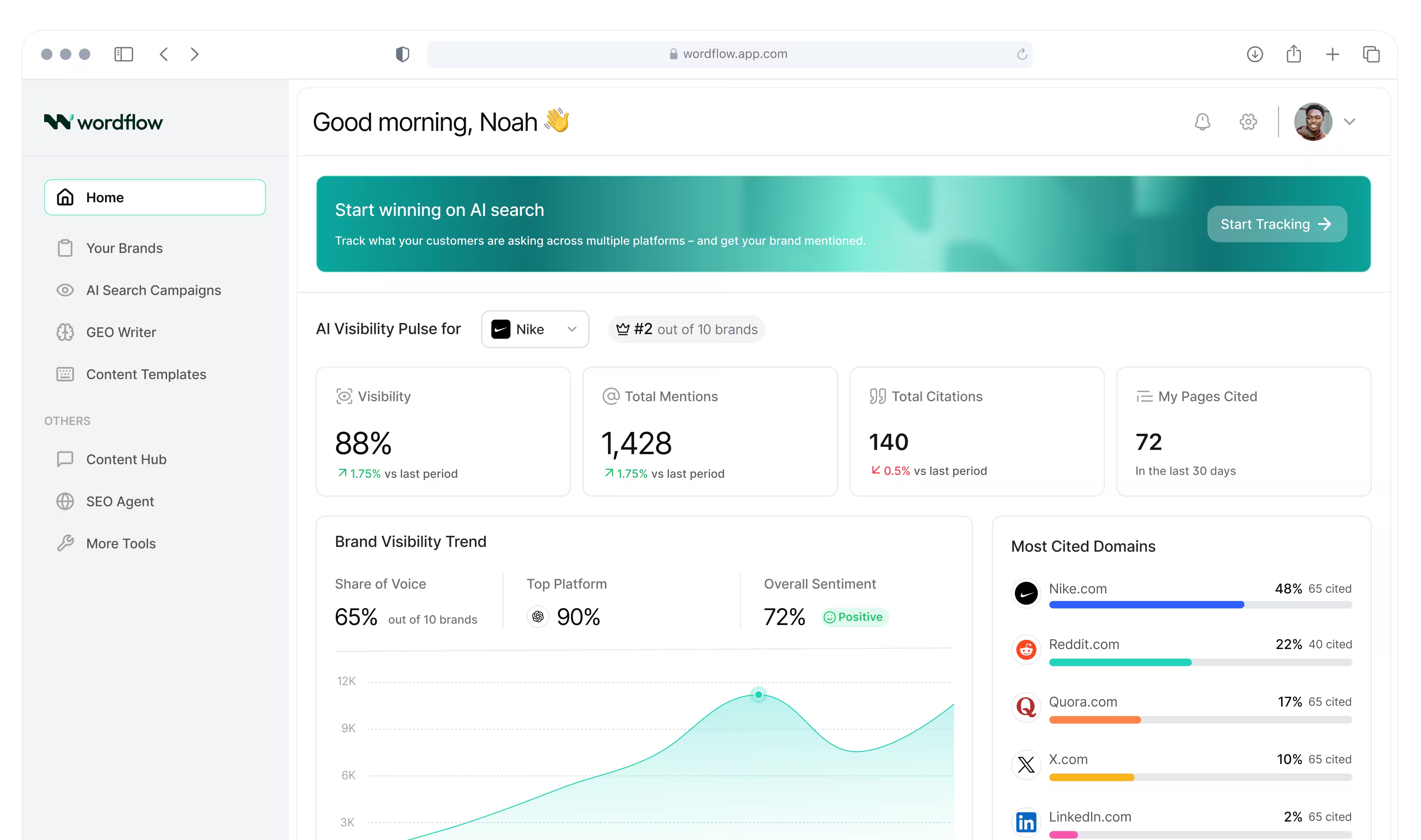
The Overview gives you a quick read on how visible your brand is in AI answers. It summarises the headline metrics like visibility, total mentions, total citations, and how many of your pages were cited, then shows how that compares against competitors with share of voice and competitor visibility.
It also breaks performance down by topic and platform, and tracks sentiment trends so you can spot changes over time.
Missed Prompts are queries where answer engines mention your competitors, but don’t mention your brand at all. In the detailed view, you’ll usually see low or zero visibility alongside competitor mentions and citations.
Missed Prompts matter because they point to high-intent gaps where demand already exists. If you improve your coverage for these prompts, you have a clearer path to winning mentions and citations in future AI answers.
Pages & Citations looks at the sources AI answers cite for your target prompts and shows where your brand is missing. It lists the top domains and specific pages being cited, which competitors appear there, and how often each source shows up.
Save any source to the GEO Action Hub to track it as an off-page opportunity.
Wordflow tracks 12 AI engines: ChatGPT, Claude, Perplexity, Gemini, Google AI Overviews, Grok, DeepSeek, Qwen, Doubao, Yuanbao, ERNIE and [12th engine, TBC].
The Free plan tracks ChatGPT. Paid plans track [all 12, TBC].
A Recommended Action Plan covers one prompt. The GEO Action Hub is your to-do list across the whole campaign.
Recommended Action Plans live in a prompt's Detailed Performance view. They explain why the prompt matters and suggest actions, often content pieces, to improve your visibility for it. Click Save to Action Hub to add them to your list.
The GEO Action Hub collects everything you've saved, shows each item's status and priority, and lets you start the work.
Open the Action Hub to see the actions you’ve saved from different prompts, grouped into on-page opportunities, off-page opportunities, and technical issues. Each item shows its priority and status so you can work through them like a checklist.
To execute an action, click View details. For on-page opportunities, you can click Write to jump straight into GEO Writer and generate the recommended content. For off-page opportunities and technical issues, you’ll typically handle the work outside Wordflow, then come back and mark the item as Done once it’s completed.
Yes. [Open the campaign and click (button name, TBC)] to download the report as a [PDF / CSV, TBC]. You can share it with clients directly.
Yes. Limits depend on your plan and are based on how many prompts you track: Free 25, Starter 100, Pro 300 and Agency 750. Enterprise limits are custom.
You can check your current limits in Subscription Management.
SEO Agent improves how you rank in Google. GEO features improve how you show up in AI-generated answers.
SEO Agent covers keyword research, content optimisation, technical SEO audits, competitor analysis and domain authority, using data from DataForSEO and SerpAPI.
GEO features track where AI engines mention or miss your brand, which pages they cite, and help you create content AI engines can extract and cite.
There are three:
SEO Agent runs five types of analysis: Keyword Research, Content Optimisation, Technical SEO Audit, Competitor Analysis and Domain Authority Analysis. It uses data from DataForSEO and SerpAPI to spot gaps and track performance over time.
From live prompt simulations. Wordflow sends your tracked prompts directly to each AI engine and records the real answers, so your data reflects what a buyer would see if they asked that question today. We don't use prebuilt or static datasets.
Remix helps you repurpose one piece of content into multiple formats faster, so you can turn a single source into things like social posts, email copy, landing page sections, and more without starting from scratch.
Because AI answers change. The same engine can give a different answer to the same question on different days. That variation is real, and tracking it over time gives you a more accurate picture than a single snapshot. If you need more frequent readings, Pro and Agency plans can add daily tracking.
TransCreate adapts tone, phrasing and local context, not just the words, so your message still lands in another market. It supports 40+ languages.
The Content Hub is where all your Wordflow documents live. It holds everything you create in Wordflow (like Template and GEO Writer outputs) and anything you upload.
It also records what's been done to each document and where it came from, so you can reuse it, update it or run it through other workflows like Compliance Review.
Wordflow tags every tracked prompt by intent:
This shows where in the buying journey your visibility drops off, so you know which content to prioritise.
Paste in text (or pull it from the Content Hub), choose a Compliance Checklist, and Wordflow flags risky claims, missing disclosures and wording that doesn't match your industry, country or channel rules. You can apply the suggested fixes to get a cleaned-up version.
Compliance Review is available on paid plans. It's designed to support your legal and compliance process, not replace it.
Wordflow Insights is a weekly report on how AI engines describe your brand. It shows whether AI recognises you, how accurately it describes your business, where you're gaining or losing ground against competitors, and where different engines agree or disagree about you. It's available on Pro and Agency plans.
To add a team member, click the dropdown in the top right, go to Workspace Management, then select Add Member. You can invite someone by email, or add them by name if they already have a Wordflow account.
Wordflow supports shared workspaces so teams can work under the same account, reuse Brand Profiles and templates, and keep campaign and content work organised in one place.
Ready to transform how you market? Start your unlimited free trial today and experience the advantage Wordflow brings to your results.